


Contents
➡️ What is the reporting tool?
➡️ Why use the reporting tool during your trip on La Scandibérique?
➡️ How to access the La Scandibérique reporting tool?
➡️ What is the reporting tool? 🤔
This interface allows users of La Scandibérique to report problems and incidents encountered along their route to local authorities and other users. This tool is part of a general drive toimprove the quality and upkeep of French cycle routes by allowing cyclists to feed their experience on the ground directly back to the project owners in charge of developing and maintaining the network.
Whether you come across damaged or missing signage, a deformed road surface or closed road or a location error, alert other users along your route, as well as the local authorities and operational teams concerned, who will do everything they can to respond to and resolve these problems as quickly as possible.
➡️ Why use the reporting tool during your trip on La Scandibérique?
- 🚧 When preparing your route: view the reports currently open on the stages (road closure, diversion in place, signposting in progress...)
- 🚩 While on your route: report a problem you encounter on the spot by creating a new report, be notified of a problem on the route or informed of an event, and view the reports on a map
- 💬 After your route: share your story, give your opinion, share on social media, help improve the route and its services
➡️ How to access the La Scandibérique reporting tool?
❗ The tool appears when you browse the stages of the route, on the map, by clicking on the red exclamation mark
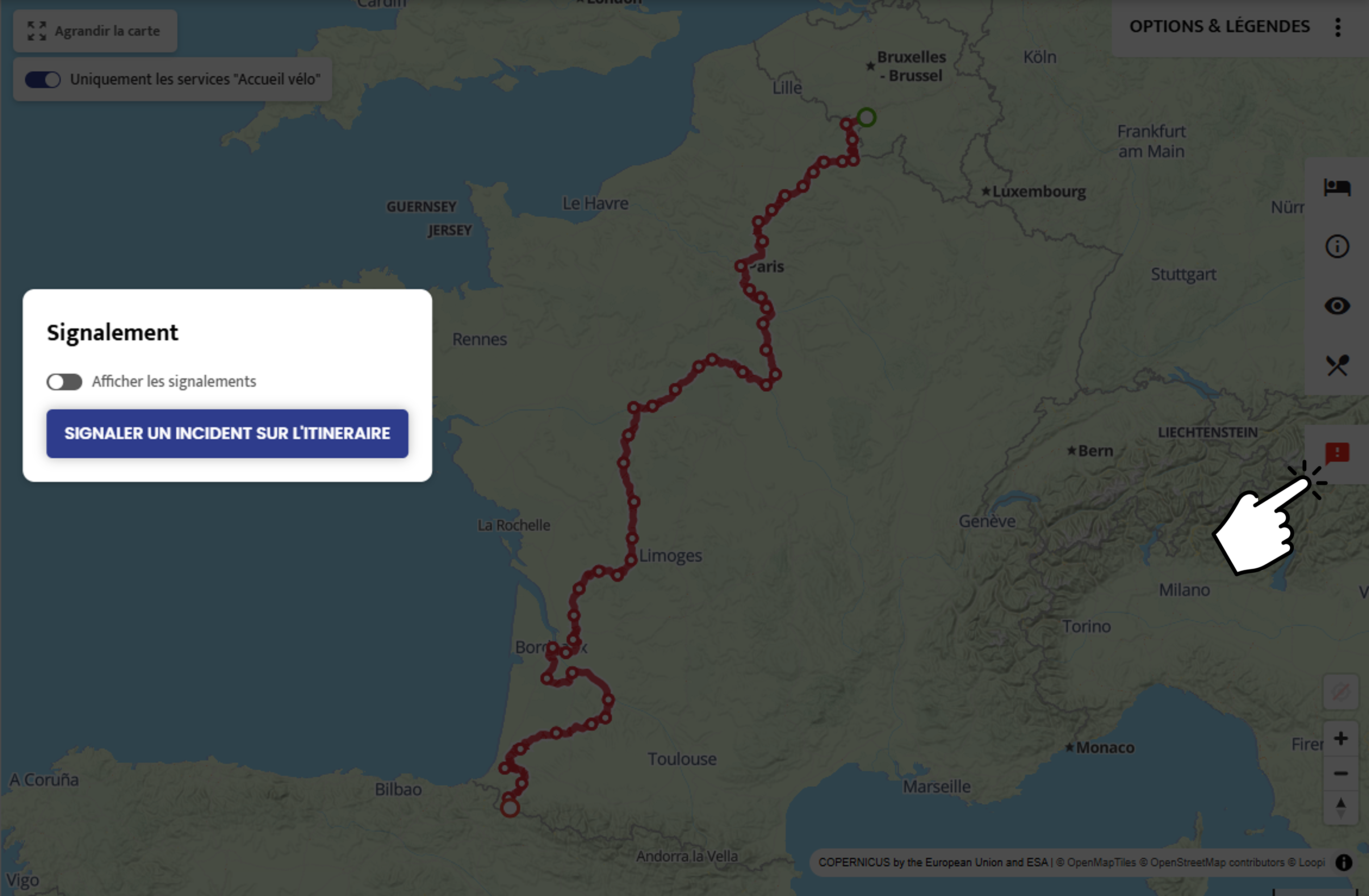
You then have the option to:
1️⃣ Display the current reports on the map
Reports are displayed as pictograms. By clicking on them you will see the details of the report: the type of report (damaged road surface, missing signage, mowing in progress...), additional information, its location and its status.
The different report statuses:
🔴 Not yet taken into account : The report has been received but has not yet been reviewed by the project owners.
🟠 Acknowledged: The report is recognised and will be dealt with shortly.
🟡 In progress: An intervention is under way or has been planned to resolve the problem.
🟢 Resolved: The reported problem has been fixed : the route is operational again.
🆕 New: The reporting tool is evolving: it now allows you to distinguish reports made (official report) by the project owners from reports made (user report) by cyclists.
This improvement gives you clearer and more reliable information on the condition of the route. You will thus be better informed about problems on the route, but also about roadworks or diversions in progress or upcoming.
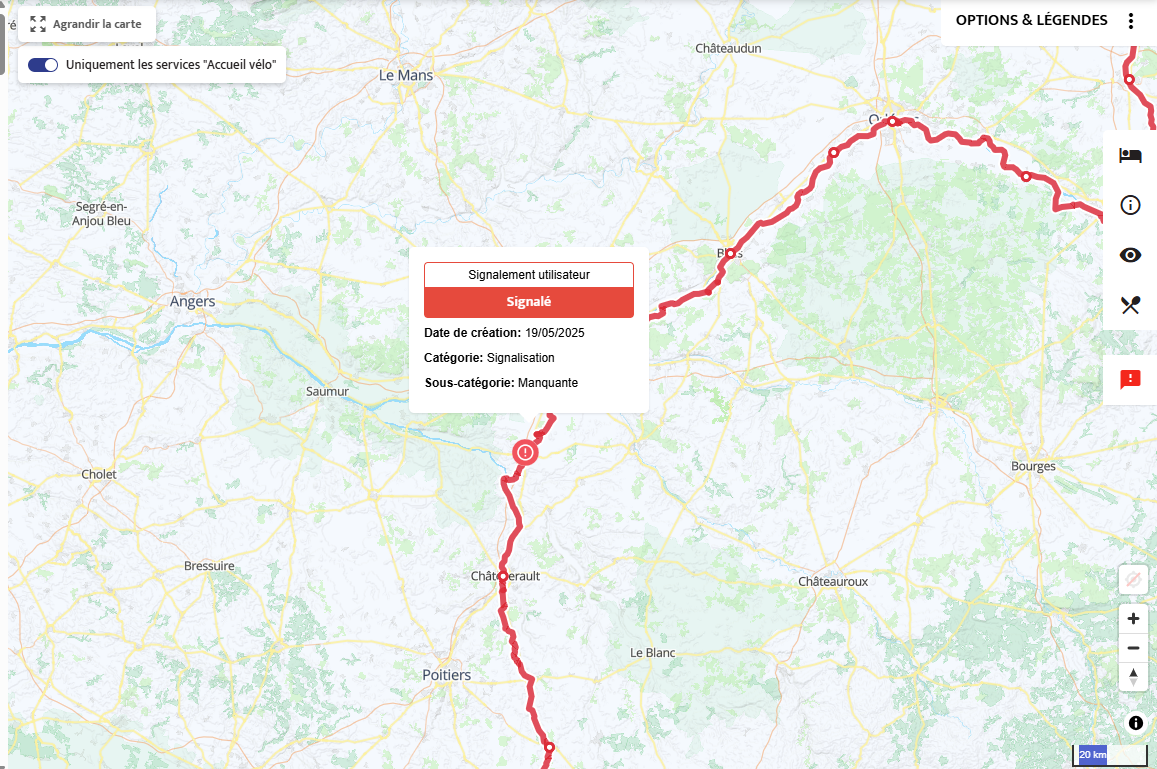
2️⃣ To submit a new report:
> specify the details of the report: the category and sub-category (using a drop-down list), photos of the problem and your email address.
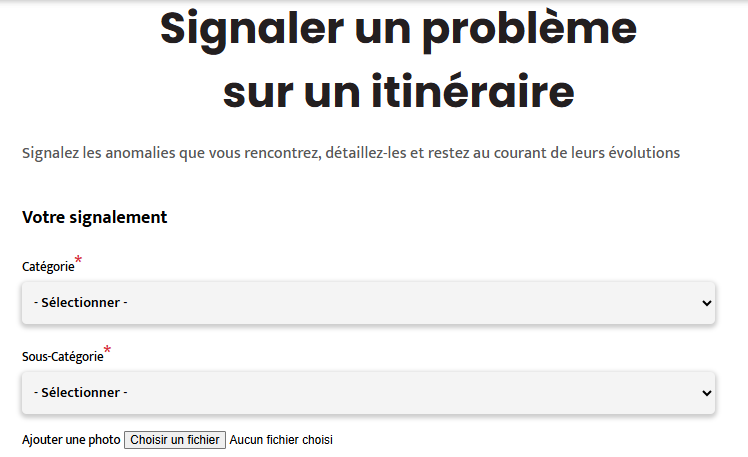
> specify the exact location of the report on a map by positioning the green dot (make sure you zoom in to be as precise as possible)
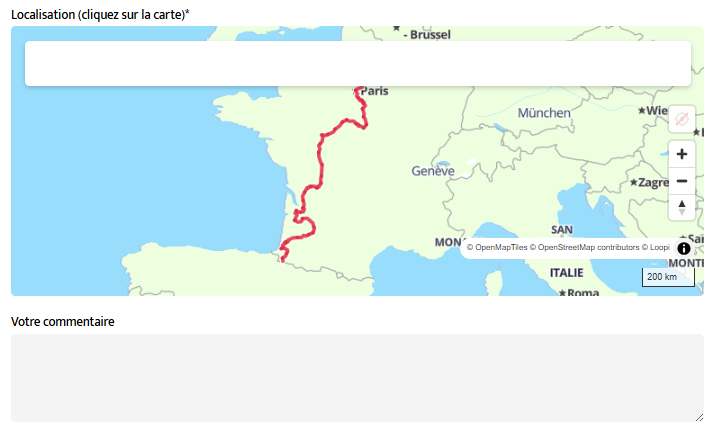
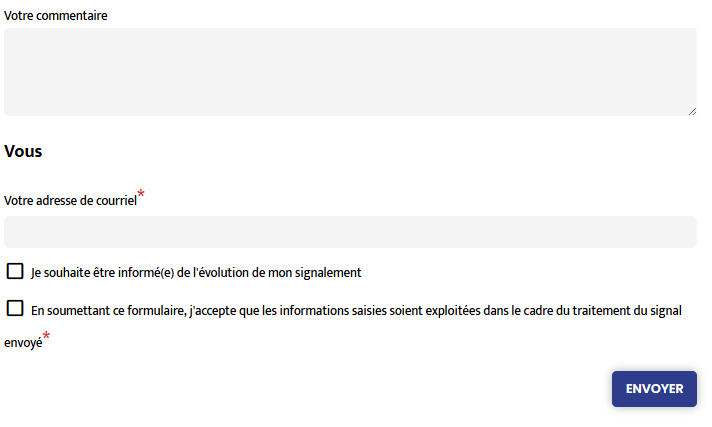
> Fill in the “Your comment” box to describe the situation you are reporting. When finalising the report, you will be able to give your consent to be informed of the progress of your report and/or to be contacted about this reporting system.